MyCourses upgrade in 15.6.2026
Yes, it is the time of the year when MyCourses gets new features and bigger changes are released. While not all details are available yet, you can find in this post some of the upcoming changes that come with the Moodle upgrade, and other new features that have already been tried out . Find the date for upgrade on the Aalto.fi outages page
MyCourses AI assistant
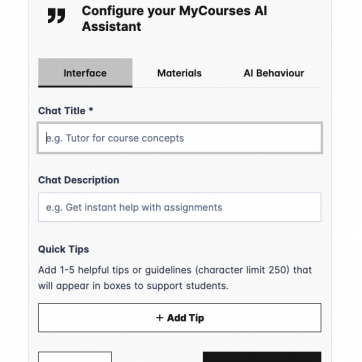
A new pedagogical AI tool is now available in MyCourses. Instructor can create AI chatbot for students and specify how it should behave with uploaded content. See description and instructions in Aalto.fi.
IP address restriction with quiz
It’s now possible to restrict a quiz so it’s only accessible from EXAM rooms using IP address restrictions. With the new Moodle release, if a quiz is intended to be available only in EXAM rooms, you must enable IP-based access control. A single IP address covers all EXAM rooms. The IP address and setup instructions are available in the MyCourses quiz settings.
Question bank changes
Shared question banks are now more practical to use — you can filter by name, type, status, owner, and modification date. Non-editing teachers can also use questions from shared banks by default, making collaboration between colleagues finally possible without extra admin work.
Activities overview
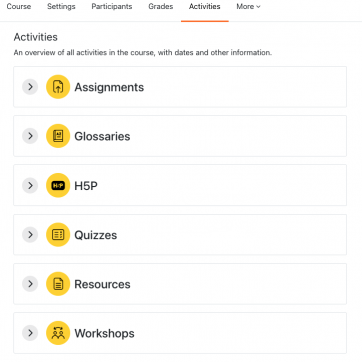
The new centralised course overview page gathers quizzes, forums, wikis, H5P, lessons, and more into a single view with consistent action buttons and human-friendly due dates. No more clicking into each activity separately to check status.
Activity Chooser
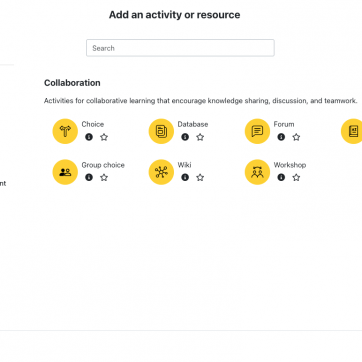
Activities are now grouped by purpose (not just type), so it’s easier to find the right tool for what you’re trying to teach. Each activity now shows a detail panel with a description and whether it’s gradable — helpful when you’re building a course from scratch.
MyCourses AI assistant
Aalto AI assistant is now integrated as a tool for teachers to set up course related tasks for students. The teacher can prompt a specific behavior and upload content for AI to interact with students. Find out more at Aalto.fi
Dark mode
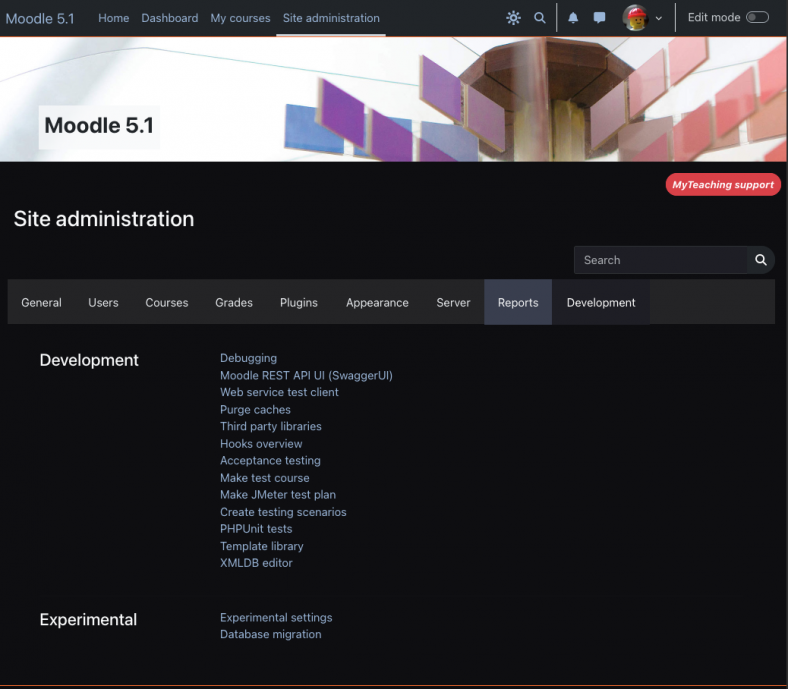
This is a previously requested feature, and finally we are adding the first version of dark mode to MyCourses. Users can toggle it on from top navigation in all pages.